Overview
Oriented to the professional embroiderer. It has all the necessary tools for the design creation. In addition, it allows creating reusable new library components.
ART-D60 offers the tools needed to create embroidery designs with style and ease, improving turnaround time and increasing profits.
Besides a vast number of creation tools, EO ART-D60 gives you more control over the stitch generation process. Tools for the creation of Components allow the user to expand the system's functionality.
Reach your maximum potential. Combine your skills and ART-D60 to produce high-quality, unique designs.
| |
 |
Create embroidery designs from images, scanner or digitizer boards. |
| |
Edit existing embroidery designs. Includes lettering and design processing. |
| |
Design management , organization, code conversion, print out, machine connection, etc. |
| |
Image cleaning, processing and preparation.. |
| |
High quality realistic samples of embroidery designs, print out and conversion to images. |
| |
Create embroidery designs from pictures with a simple click. Produces B&W and color composed designs. |
Screenshots
 Satellite View
 Simulation View
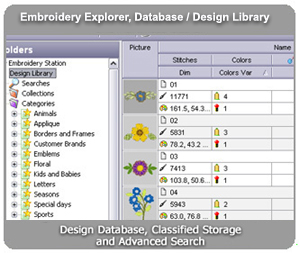
 Design Library
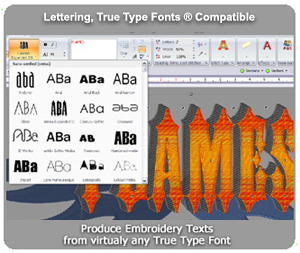
 Multi-color text
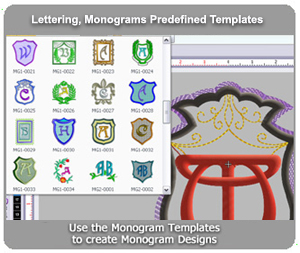
 Monograms
 AID Wizard: Automatic Digitizing
 Stitch editing
 Vectorize (Raster to Vector)
 Object Recognition Settings
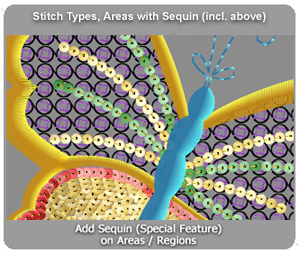
 Path w/ Running Stitch / Zig Zag / Sequin / Programmable Stitch, etc.
|
|
|
|
- Notes
- The screens are simply ilustrative animations and can be different to the product intented to be shown. Besides, specifications may vary without previous notice and these screens may be incomplete and/or not updated. For complete specifications consult a vendor about the functions you need, before making the purchase.
- Each of these features can be optional or have some additional requirements.
- All mentioned trademarks or registered trademarks are the property of their respective owners..
Demonstrations

Vectorize

Advanced_Fill_1

Syncronized Views

Bezier_Arc

Monogram

Pattern Fill

Shapes

Photo Stitching

Ttfs

Eo explorer

Infocard

Add Motifs

Expanded Sitch Editing

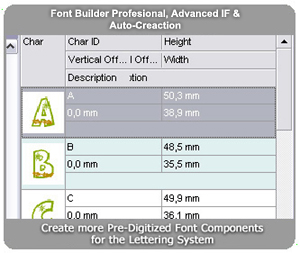
Predigitized Fonts
|
|
|
|
- Notes
- The screens are simply ilustrative animations and can be different to the product intented to be shown. Besides, specifications may vary without previous notice and these screens may be incomplete and/or not updated. For complete specifications consult a vendor about the functions you need, before making the purchase.
- Each of these features can be optional or have some additional requirements.
- All mentioned trademarks or registered trademarks are the property of their respective owners..
Loading...
Features

 Notes:
Available components depend on the software package. If the software package doesn't
support the main feature or function, its associated components (even listed here)
cannot be used. In some cases optional (paid) features are available, then those
associated components to the optional feature could be used (according to the level).
Options
- Notes
-
The product is updated frequently and without previous notice, because of which
the screens shown here may not match the product’s latest version. Some image captures
and animations may have been made over a different product and may show a different
feature from the one that is intended to be shown, which may not be included in
the product. Consult your vendor about the product’s features and/or the product
than contains the desired features, before making its purchase. We recommend acquiring
only the product’s latest version. We recommend acquiring the products from an authorized
distributor.
Extra Features
Loading...
- Notes
-
The product is updated frequently and without previous notice, because of which
the screens shown here may not match the product’s latest version.
-
Some image captures and animations may have been made over a different product and
may show a different feature from the one that is intended to be shown, which may
not be included in the product.
-
Ask your vendor about the product’s features and/or the product than contains the
desired features, before making its purchase.
-
We recommend acquiring only the product’s latest version.
-
We recommend acquiring the products from an authorized distributor only.